Recurring
Recurring payments and subscriptions
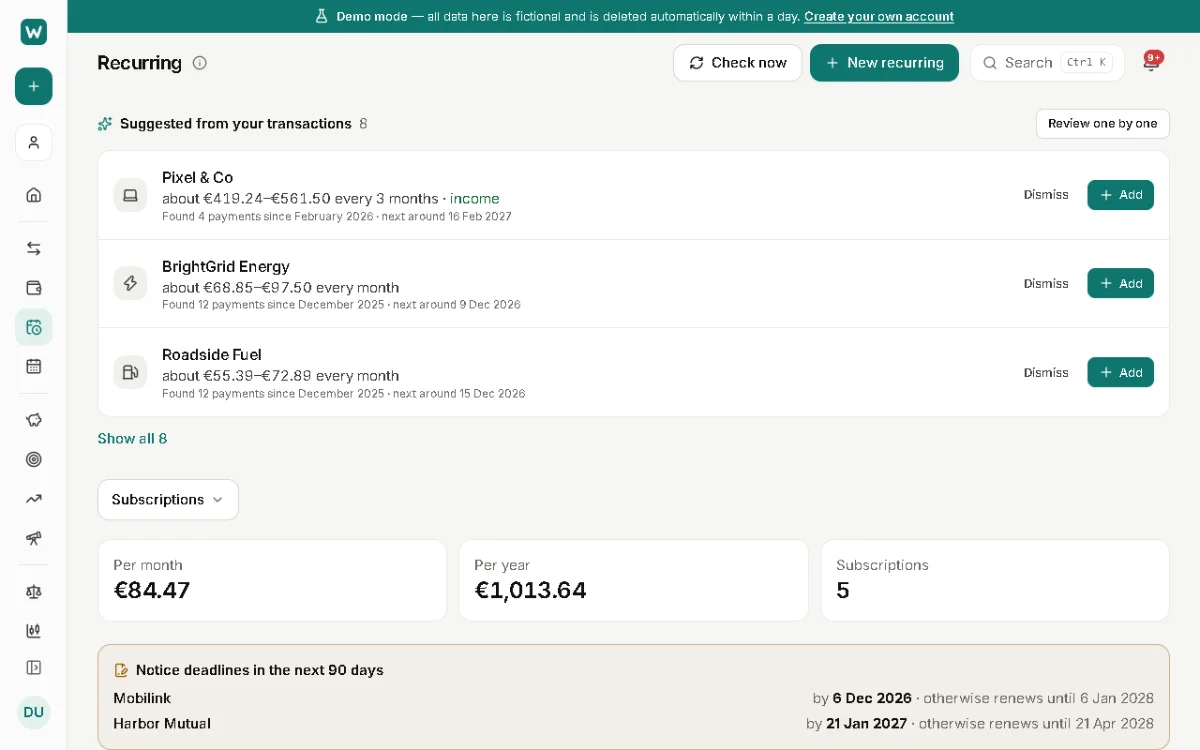
Rent, salary, insurance, streaming: anything that repeats can be a recurring item. It shows on the calendar and in the forecast, and you can see every subscription and what it costs a year.
Where to find it: Recurring › New recurring
Set one up
- Open Recurring and choose New recurring, or accept one of the suggestions WalletCalm finds in your transactions.
- Enter the amount, the account, the category and how often it repeats.
- Decide whether WalletCalm records it for you (below).
Recorded for you, or matched to your import
With Record it for me on its date on, the payment is added on its date by your device while WalletCalm is open; dates missed while it was closed are filled in the next time you open it.
With it off, nothing is recorded: the payment from your bank import, or one you add, is matched to it instead, so it's never counted twice. Use this for anything that's in your bank statements.
Subscriptions
The Subscriptions view lists everything you pay for regularly with its yearly cost. For each one you can note when a free trial ends (you're reminded 3 days before), a Cancel by date (reminded a week before it renews), or a minimum term with a notice period.
Cancel subscription… stops recording it from a date you choose; payments already recorded stay. Remember to cancel it with the provider too: WalletCalm can't do that for you.
The other views
This month shows what's due and what's already paid; All, Bills and Income filter the list. The Calendar page shows bills, income, scheduled transactions, loan payments and planned goal contributions by day.
Updated 22 November 2026
About this feature: Budget planner