Investments
Tracking your investments
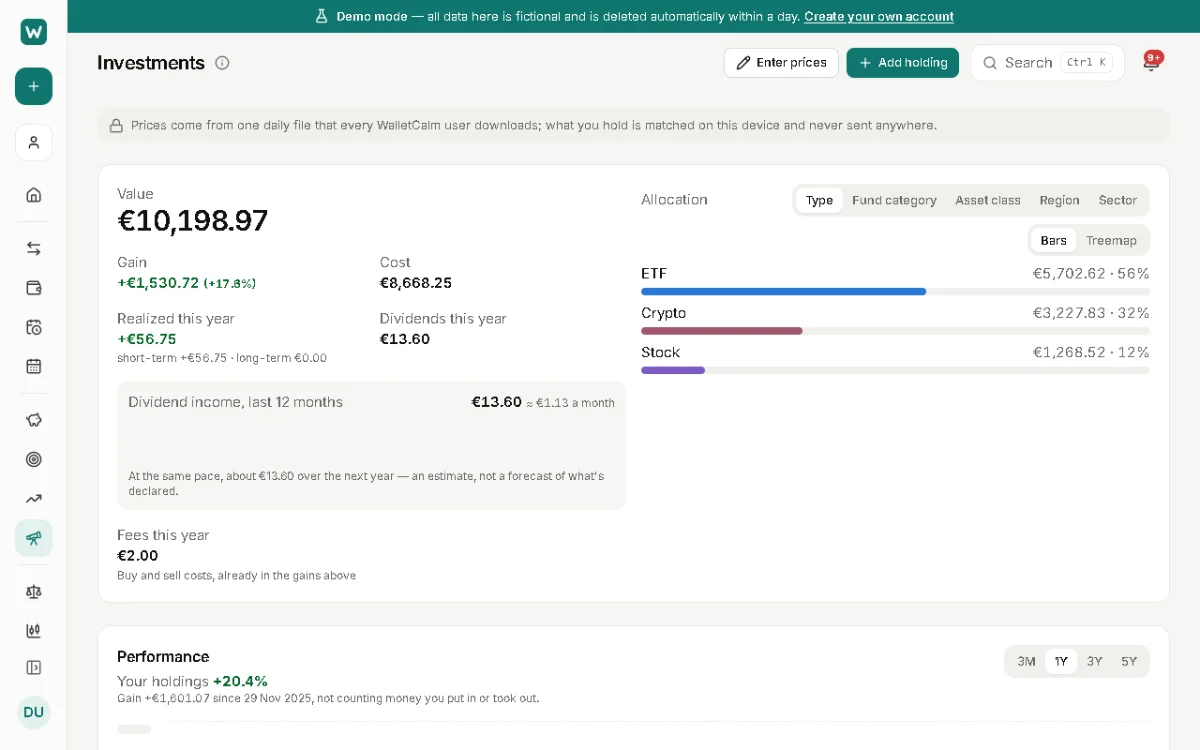
Add your holdings to an investment account and WalletCalm tracks their value, your gains and how your money is spread. It doesn't connect to your broker: you record holdings and trades yourself.
Where to find it: Investments › Add holding
Adding a holding
- Create an investment account first (Accounts › Add account, type Investment).
- Open Investments, choose Add holding and search for a listed symbol by symbol, name or ISIN, or enter the details yourself.
- Enter the quantity and what you paid, or record the purchases as trades.
Prices
Listed symbols get end-of-day prices automatically. They come from one daily file that every WalletCalm user downloads; what you hold is matched on your device and never sent anywhere.
For anything else, such as a private fund or a symbol that isn't in the file, enter the price yourself when it changes. The page shows the date of the latest automatic prices.
Trades and income
Record buys, sells, dividends (reinvested or paid out), splits and transfers between brokers. Gains are worked out with first-in-first-out or average cost, as you choose.
The spread of your money can be shown by type, asset class, region or sector, looking through funds to what they hold. Set a target mix to see how far you are from it.
Updated 22 November 2026
About this feature: Investment tracker